
Engineering service
AI Integration for Browser & Desktop Software
AI built into real browsers, extensions and desktop products: page-aware assistants, content classification, filtering and summarization, running on-device or through cloud models, engineered as part of the product rather than bolted on.
- 15+ years of experience
- 300+ projects delivered
- Clients worldwide
- NDA available
Overview
What this is, and when it is the right call
We build AI features that live inside browsers, extensions and desktop apps: page summaries, assistant sidebars, smart search and task automation. The work covers the product feature and the engineering around the model.
We are model-agnostic. We choose between hosted APIs and open models by task, privacy needs and cost. This is not a research service: if there is no browser or desktop product involved, another kind of team will serve you better.
Who this is for
- Teams adding an AI assistant, summaries or smart search to a browser extension.
- Products building AI features into a custom browser or desktop application.
- Companies with privacy or compliance limits on what data may leave the device.
- Teams that already have a prototype and need it to work reliably at real usage.
How it works
Architecture at a glance
Where AI fits in a browser or desktop app
AI feature
Page summaries, an assistant sidebar, smart search or automation that the user actually sees.
Orchestration
Prompts, retrieval, caching, evaluation and guardrails.
Model
An on-device model or a hosted API.
Host
- Extension
- Custom browser
- Desktop app
A browser extension, a custom browser or a desktop app.
- Your productWhat your users see
- Our engineeringModifications and protections
- UpstreamKept as close to unmodified as possible
- Platforms and releaseBuild, sign and deliver
What we offer
What we engineer: AI Integration for Browser & Desktop Software
Page-Aware Assistants
An assistant sidebar or chat panel that reads the current page's content, through the DOM or an extension's content script, to answer questions about what the user is looking at.
In-Browser Summarization
Article, thread and document summarization triggered from an extension's context menu or toolbar, running on a hosted model or a small on-device model.
Smart Search and Semantic Lookup
Search over bookmarks, history, tabs or your product's own content, backed by embeddings instead of exact keyword matches.
On-Device Model Integration
WebGPU or WebAssembly inference in the browser, or a native runtime in a desktop app, for features that must work without a network round trip.
Browser Task Automation
Multi-step actions that a model plans and a content script or native automation layer carries out, such as filling a form or walking through a flow.
Extension AI Feature Audits
A review of an AI feature already shipped in your extension or app, covering latency, cost, prompt reliability and failure handling.
Deliverables
What you get
- 01
Working AI feature
The feature built into your extension, browser or desktop app, with source code in your repository.
- 02
Model selection with reasoning
A recommendation between hosted and on-device models, based on your task, privacy limits and budget.
- 03
Orchestration layer
Prompt management, retrieval over your content, caching and guardrails, kept separate from the model so it can be swapped.
- 04
Evaluation set and harness
A test set built from your real content, and a script that re-runs it whenever the model or prompts change.
- 05
Cost and usage controls
Caching, limits and fallbacks that keep model usage predictable as adoption grows.
- 06
Handover documentation
Notes on how the feature works, how to update prompts and models, and how to read the evaluation results.
Compare
Where should the model run?
Most products end up somewhere in the middle. These are the trade-offs we discuss with you.
| Aspect | On the device | In the cloud | Hybrid |
|---|---|---|---|
| Privacy | Data stays on the machine | Data is sent to a provider, so terms and retention matter | Sensitive steps run locally, and only what is needed goes to the cloud |
| Model size and quality | Limited to smaller models that fit the hardware | Access to the largest available models | A small model handles routine work, and a larger one handles hard cases |
| Latency and offline use | Works offline, with speed set by the user's hardware | Needs a connection, and adds network round trips | Offline for basic features, connected for advanced ones |
| Cost model | No per-request fee, but larger downloads and device load | Pay per use, so cost grows with usage | Cloud cost is reduced by handling easy requests locally |
| Fit | WebGPU or WASM in browsers, and native runtimes in desktop apps | API calls from an extension backend or your app server | Both, with routing logic between them |
Why it matters
What this gives you
Ships Inside What Users Already Use
The feature lives in the extension, browser or desktop app your users already have installed, not a separate destination they have to visit.
Privacy Boundaries You Set
A clear line between what stays on the device and what is sent to a model provider, decided with you instead of defaulting to sending everything.
A Model Layer You Can Swap
Prompts and orchestration sit behind an interface, so moving to a different model or provider later does not mean rebuilding the feature.
Packaging Know-How That Already Fits
The same disciplines used to ship the extension or app, such as store review and permission scoping, carry over to the AI feature.
Our approach
How we add an AI feature
Define the task
We agree what the feature should do, what data it sees, and what a good answer looks like.
You get: A task definition and success criteria
Build an evaluation set
We collect real examples from your content and write the checks that judge the output.
You get: A test set you can re-run
Prototype with candidate models
We try hosted and on-device options against the test set, on your target hardware where relevant.
You get: A comparison of quality, latency and cost
Build the feature
We integrate the chosen model into your host, with caching, limits and guardrails around it.
You get: The feature running in your extension or app
Monitor and improve
We track results across prompt and model changes so quality does not drift unnoticed.
You get: Evaluation reports and update notes
When this is not the right fit
A few cases where this approach may not be the best choice for you.
- You need standalone model research or data science with no browser or desktop side. That is outside our scope.
- You want to train a foundation model from scratch. We integrate and evaluate existing models instead.
- The feature has no defined task or way to judge output. We would define that before writing any code.
Tech stack
Technologies we use
The engines, APIs and tools behind our ai integration for browser & desktop software work.
 WebAssemblyONNX RuntimeTransformers.jsVector EmbeddingsChrome Extension APIsHosted LLM APIsLocal Model Runtimes
 TypeScript
FAQ
Questions engineers ask before starting
We are model-agnostic. We choose between hosted APIs and open models based on the task, your privacy limits and the cost, and we keep the model behind an interface so it can be changed later.
Proof
Related production work
Community & Content Filtering
Kahf Browser
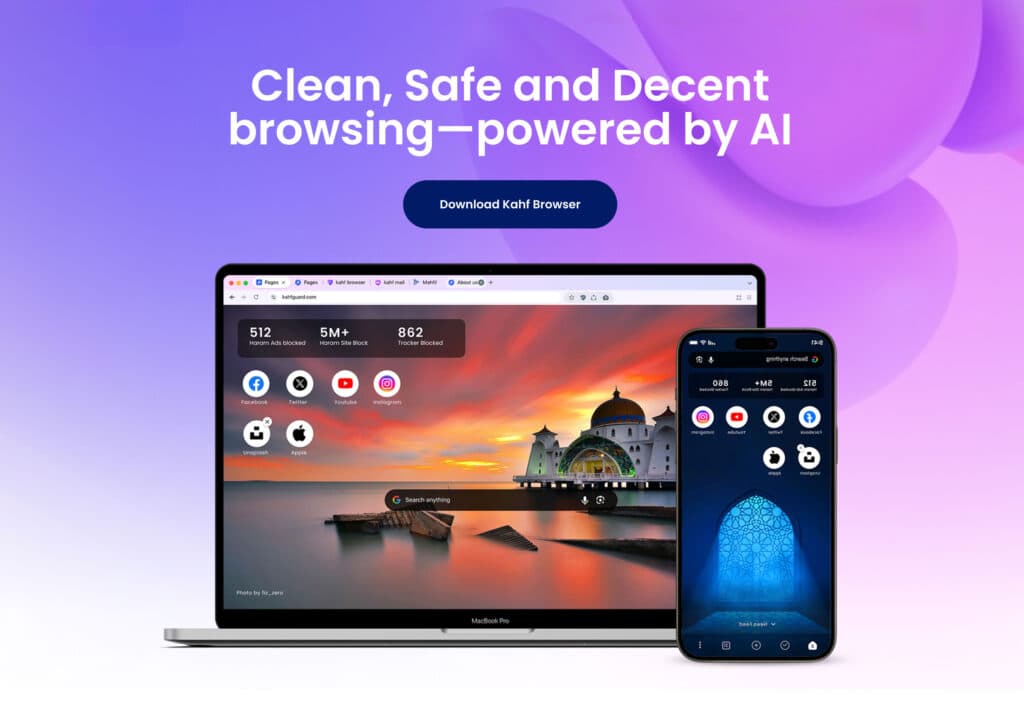
A Chromium-based browser for Muslim families, with AI that blurs inappropriate images and filters YouTube and the web.
- Chromium
- AI filtering
- Content blurring
Web3 & Decentralized
Epic Browser
An AI- and Web3-oriented Chromium build with custom privacy features and branding.
- Chromium
- AI
- Web3
Web3 & Decentralized
True Browser
An AI- and Web3-oriented Chromium build designed around a privacy-first architecture.
- Chromium
- AI
- Web3
Our services
Related services
Explore more services that work alongside this one.



Talk to a Browser Engineer
Add AI to Your Browser or Desktop Product
Tell us the product and the feature you have in mind. We will recommend where the model should run and what it costs to ship.